NUHS Institutions will NEVER ask you to transfer money or disclose bank details over a call. If in doubt, call the 24/7 ScamShield helpline at 1799, or visit the ScamShield website at www.scamshield.gov.sg.
PTEC is currently available in all Singapore polyclinics.
You can join PTEC if you have been diagnosed with high blood pressure (PTEC-HT) or type 2 diabetes (PTEC-DM) and are currently receiving care at the polyclinics.
If you are interested, you can approach your doctor or nurse during your usual polyclinic visit. Your care team will assess whether home monitoring is suitable for you.
Can I join both PTEC-HT and PTEC-DM?
Yes, if you have both conditions and your care team advises that home monitoring is suitable.
How do I enrol?
Simply let your doctor or nurse know during your usual polyclinic visit. They will assess your suitability and guide you through the next steps.
What is the cost of PTEC for Singapore Citizens (SCs) and Permanent Residents (PRs)?
PTEC-HT:
A subsidised fee of $6.30 per year will be charged for the programme.
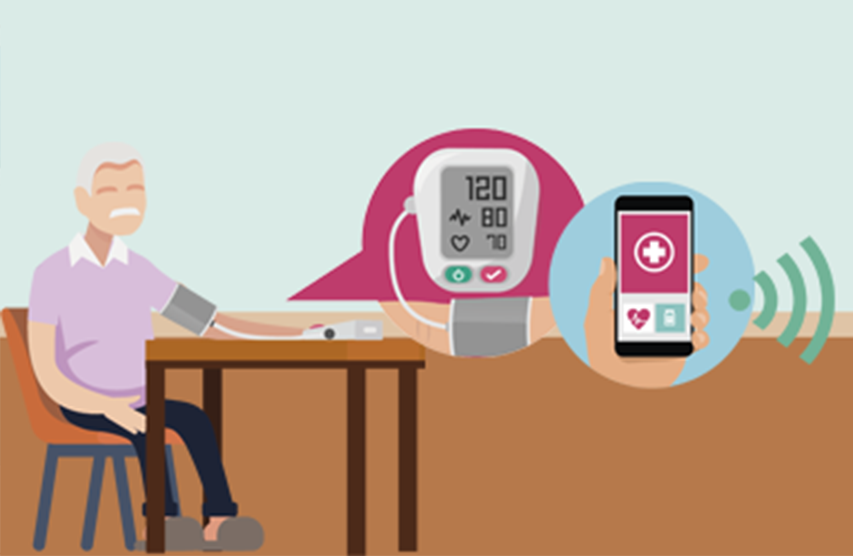
A blood pressure monitor is required to participate. You can:
Use your own BP monitor and submit readings manually, or
Purchase a subsidised Bluetooth-enabled BP monitor for $7.50.
PTEC-DM:
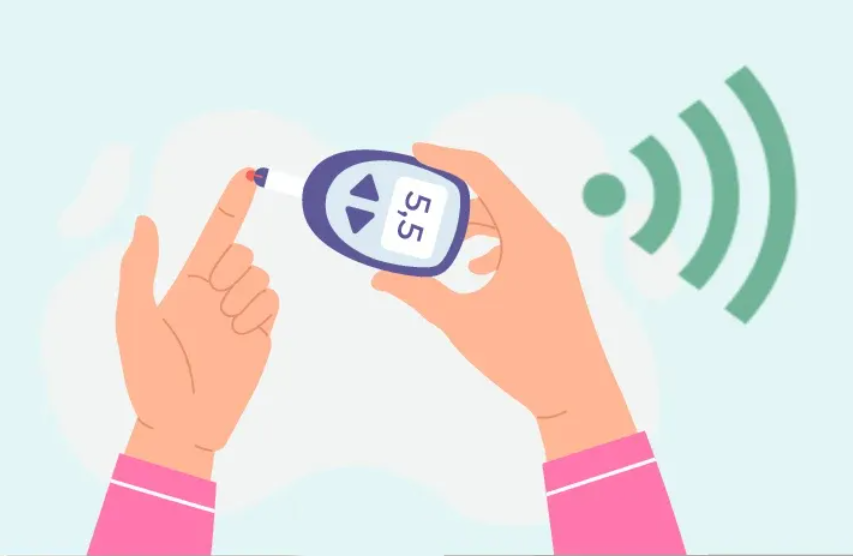
A subsidised fee of $1.60 applies for a three-month programme. However, the programme is free for existing PTEC-HT A glucometer is required to participate. You can:
Use your own glucometer and submit readings manually, or
Obtain a free glucometer from your polyclinic pharmacy (new sign-ups only)
Note: Your usual consultation, medication, and lab test charges still apply. Subsidies for the programme costs and devices are subject to terms and conditions and are available for a limited time. Please speak to your care team for more details.
Can I drop out of this programme halfway?
You may leave the programme at any time, but the subscription fee is non-refundable.
If you received a subsidised BP monitor, you may need to return the subsidy according to the terms and conditions.
We strongly encourage you to remain in the programme to receive the full benefits of home monitoring, guidance, and support from your care team.
What can I do if the Health Discovery+ (HD+) app is not supported on my phone?
The HD+ app is only available in Singapore, so do ensure your phone’s location is set to Singapore.
Check that your phone’s operating system (OS) is updated to the latest version. The HD+ app is supported on:
iOS: 14.0.0 and above
Android: 10.0 and above
If your phone is still not supported, you will not be able to join the programme on that device. You can try using a different device that is compatible with the HD+ app.
What should I do if the HD+ app is not working?
If you are experiencing issues with the HD+ app, you can try the following steps:
Force quit the app and reopen it,
Restart your phone, or
Check for updates to the app in the App Store (iOS) or Google Play Store (Android) and install the latest version.
If the app still does not work properly, please contact our IT service support hotline at 6958 7998 for assistance.
What if my BP monitor or glucometer stops working?
You may try the following steps:
Replace the batteries or ensure the BP monitor / glucometer has enough power,
Remove and reinsert the batteries, or
Restart the BP monitor / glucometer
If the BP monitor / glucometer still does not work properly or if it is unable to pair with the HD+ app, please contact the manufacturer of your device for further assistance.
Can I get a replacement if my BP monitor / glucometer is damaged?
BP monitor (if purchased through the PTEC-HT programme – A&D device)
If your machine is within the 1-year warranty period and the damage is not due to misuse, please contact the IT support hotline at 6958 7998 for a one-to-one replacement.
If the machine is outside the warranty period or the damage is due to mishandling, a one-to-one replacement is still available with a fee of $80. Please contact the IT support hotline at 6958 7998 for assistance.
Glucometer (if purchased through the PTEC-DM programme – Accu-Chek Instant / On-Call Sure)
Replacement of the device is subject to the device's warranty terms.
If your device is still under warranty, please contact the device company’s customer service directly for assistance.
Can I manually enter my readings instead of pairing the device with the HD+ app?
Yes, you can manually enter your readings into the HD+ app. This is helpful if you are using your own device that is not Bluetooth-compatible with the HD+ app.
Using Bluetooth pairing with a compatible device is recommended as it is more convenient and accurate, but manual entries are acceptable too.
Enter your NRIC/FIN and other required details, then complete Singpass Face Verification or enter the One-Time Password (OTP) sent to your registered mobile number.
Create your new Singpass password.
If you require further assistance, please contact the Singpass Helpdesk at:
Email: support@singpass.gov.sg
Hotline: 6335 3533
The Singpass Helpdesk is available from 9am to 6pm (Mondays to Fridays), and closed on Saturdays, Sundays and public holidays.
Apply Now
Interested in joining PTEC?
PTEC is currently offered in all Singapore polyclinics.
Eligibility Criteria
You are already receiving care at our polyclinics
Diagnosed with high blood pressure (PTEC-HT) or type 2 diabetes (PTEC-DM)
Able to measure your readings at home
Not pregnant
If you are interested in this programme, you can approach your doctor or nurse during your usual polyclinic visit. Your care team will advise whether this programme is suitable for you and guide you through the enrolment process.